High-risk warning: FX and CFDs are leveraged products — the majority of retail investor accounts lose money trading them. ETO is analysis software, not investment advice. Risk disclosure
EVANDER TERMINAL ORDER

Your own trading machine.
Test, demo and live — one box, with your broker.

A private server with MetaTrader 5 rebuilt on the front as a development tool: talk to the machine with a chart open, replay any day from the last year, tune strategies with dials, and press one button to compile them into real EAs — inside the same terminal that executes.

Software and hosting for traders — nothing else. We are not a broker, we never hold your money, we never touch your trades. Single-tenant droplet · leave anytime, take everything

What we are, in one line: a software-and-hosting company (SaaS) for traders. You rent a machine and the tools on it — that's the whole relationship. We are not a broker, not a fund, not an adviser; we never hold client money, never take deposits, never place trades for you, and never touch your broker account. Your trading lives entirely between you and your broker.
The unusual part

Institutional continuity between test and live

Everywhere else, research happens in one world and execution in another — and every translation between them leaks. Here there is no translation. One machine holds the whole pipeline.

Isolation ONE TENANT

Your box is a real server that belongs to your account alone — not a seat on shared infrastructure. Nobody else's process, nobody else's noise, nobody else's outage.

Privacy YOUR DISK

Strategies, tapes, test results — all of it lives on your machine, not our platform. Export everything with one command. Destroy the box and it's gone. We don't hold your work hostage.

Security YOUR LOGIN

Your broker credentials never pass through us. You type them once, into your own terminal, over RDP. The platform stores no broker passwords — by design, not by policy.

Test → Demo → Live ONE MACHINE

The strategy you replayed at 2pm compiles into the same terminal that executes at 2:05. Same costs, same feed, same box. Which account it trades is your business — the machine doesn't care.

MT5 up front DEV TOOL

We rebuilt the MetaTrader experience as a development environment: every chart layout and timeframe you're used to, plus day-replay, strategy dials, and a chat dock that builds and tests systems while the chart is open.

The donkey out back WORKHORSE

Behind the terminal, a stubborn workhorse backend keeps it all together: a year of tick data, the replay engine, the compiler, the report press, and a sentinel that watches, diagnoses and restarts so you don't have to.

Not a mockup

A real terminal, already breathing

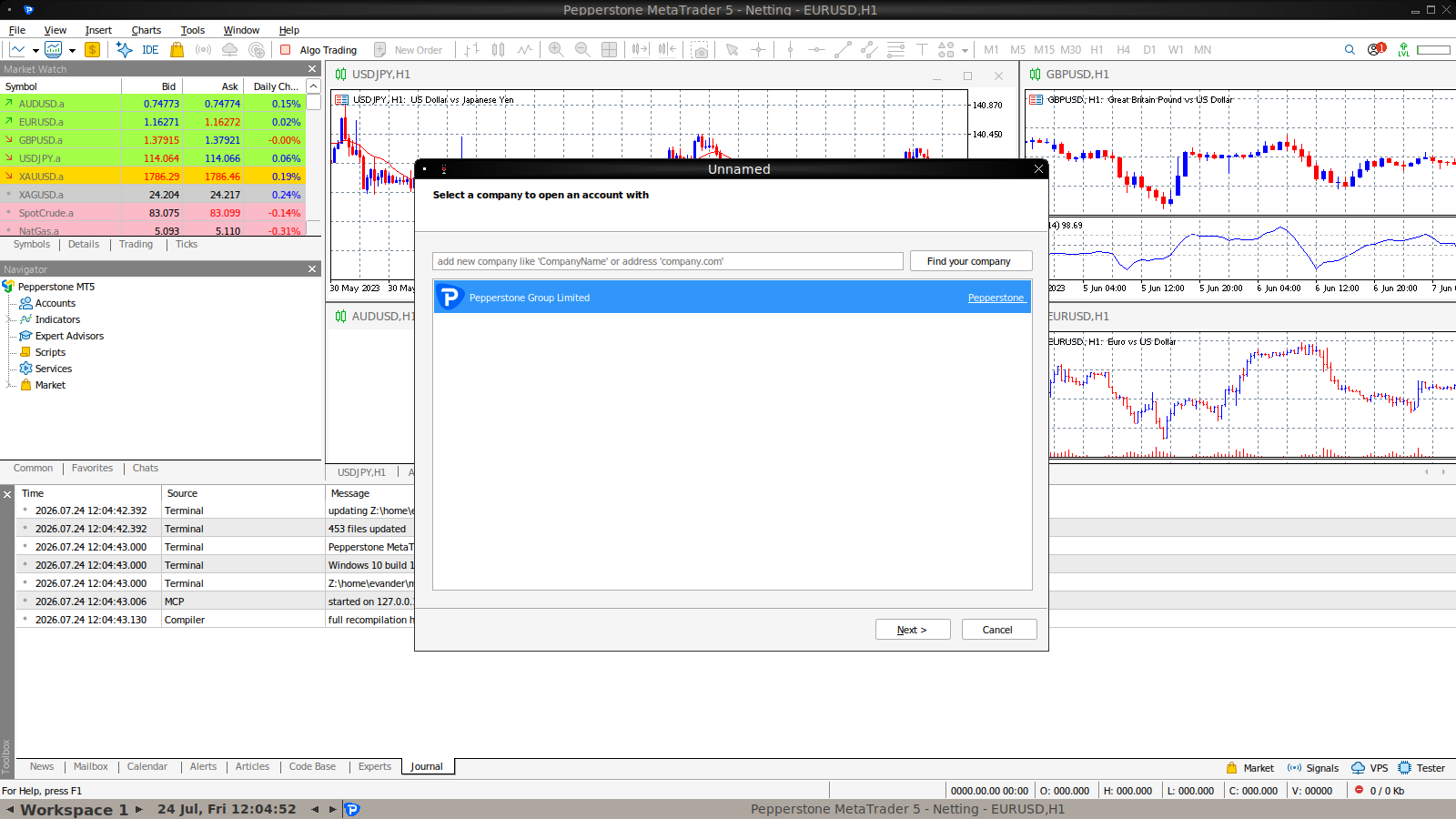
This is an actual customer box: Pepperstone MetaTrader 5 running headless on its own server, streaming live prices, reachable over RDP. The panel rides on top of it.

Pepperstone MetaTrader 5 running live on an Evander Terminal Order box

terminal64.exe · live feed · your name faintly on every chart

The gentleman's guide

From a sentence to a running system

The whole point of the machine, in four moves. This is the exact flow the film below walks through.

STEP 01 · SAY IT

Write the trade in English

With the chart open, tell the machine what you mean.

"Buy the floor on EURJPY after two failed breaks. Half a percent risk. Out by lunch."
STEP 02 · COMPILE IT

One button to a real EA

The machine drafts MQL5, compiles it on your box with the terminal's own editor, and fixes its own compile errors until it's clean. Source included — read every line.

STEP 03 · LOG IN

Your broker, your keyboard

RDP into your terminal and log in to your demo or live account once. Your credentials go to your broker, never to us.

STEP 04 · RUN IT

Attach and let it work

The EA sits in your Navigator like anything else in MT5. Test it on replay first, run it on demo, promote it when it's earned it. The machine never asks whose account it is.

The film · 44 seconds

Watch a sentence become a running system

The compile, the broker login and the running terminal in this film are real screen recordings from a live ETO box — not mockups. Only the gentleman is a work of fiction.

How it works

Sign up to trading in under an hour

Sign up

Create your account. Founding-wave boxes are issued in batches — you'll get your build notice by email.

Your box spins up

A fresh server is provisioned for you alone: terminal, panel, a year of market days, the Beast preloaded with tuning dials. About 20 minutes, automated.

Start practising immediately

One click opens a funded practice account on the built-in engine — no broker, no email, no wait. Replay any day. Talk to the machine. Test.

Plug in your broker when ready

RDP into your own terminal, log in to your demo or live account once. From then on the machine executes what you built — and never asks whose account it is.

Brokers

Bring your broker — or get one on the way in

The platform is broker-agnostic by design. These two are wired into onboarding.

Pepperstone

PRIMARY · METATRADER 5 · RAZOR COSTS MODELLED

The terminal on every box is Pepperstone's MT5 build. Open a free demo on the way in and your box is pointed at their feed from day one; the cost model in testing matches Razor commission and raw spreads, so the numbers you test are the numbers you get.

Open a Pepperstone demo →

IG

OPTIONAL · SECOND FEED VIA METATRADER 4

Prefer IG's feed? Add an IG demo and run it through the MT4 side of your box — same replay, same dials, same exports. Useful as a second opinion on pricing, or if your live money already lives at IG.

Open an IG demo →
What's in the box

The whole workshop

A year on tap

Every trading day of the last 12 months, tick-level, replayable at 1–500× with the transport bar. Lay out the day, run your idea over it, read the report.

Talk to the machine

Describe the trade in English — typed or spoken — with the chart open. It becomes a testable strategy with dials, then an EA, while you watch.

The Beast, preloaded

A battle-hardened floor technique ships installed, every constant exposed as a dial. Improvement toggles are off by default and labelled honestly: candidates, not promises.

It learns your hands

Record your real inputs on a pair. The machine drafts the mechanical version, replays it against the days you traded, then proves itself on days it never saw. Refine and repeat.

EA foundry

One button: strategy → MQL5 source → compiled on your box → sitting in your Navigator. Exports to MQL4 and Pine too, source included, nothing hidden.

Reports worth sending

Every test produces a self-contained report — equity curve, hour-by-hour, monthly table, full trade list — one file, one click, yours.

Challenge Mode

Rehearse a prop-firm challenge before you pay the fee: your rules (e.g. +10% net, 5% max drawdown, 30 days) run against every possible start date in the data — pass rate, how you bust, and the sizing curve that changes it.

Exact broker charges

Pick your account type — Pepperstone Razor, Standard, and more. Spreads are replayed from real ticks, commission and swap booked like your statement books them, validated against the terminal's own numbers.
Pricing

One box, one number

No seats, no metering anxiety, no surprise compute bills. The machine is yours for the month.

SOLO

£79/month
  • Your own box — single tenant, London region
  • MT5 terminal + panel + RDP
  • 1 year replay, 7 pairs, refreshed daily
  • Practice accounts, dials, reports
  • EA export: MQL5 · MQL4 · Pine

DESK

£149/month
  • Everything in Solo, double the machine
  • MT4 + MT5 side by side (second feed)
  • Trader-tape mimic loop
  • Priority foundry builds
  • Deploy API access

FIRM

Custom
  • Fleets of boxes via the deploy API
  • Team accounts on a shared control panel
  • Your branding on the terminal
  • Audit-grade run ledger
Founding wave: the first boxes go out free, in exchange for blunt feedback. Sign up, tell us what you trade, and you'll get your build notice when your wave is called.
Straight answers

FAQ

Who can see my strategies?

They live on your single-tenant box, not on a shared platform. Our operations tooling can reach boxes for provisioning and repair — that access is logged, and we will never read, copy or train on your work. If even that is too much trust, the export command takes everything with you.

Do you hold my money or place trades on my behalf?

Never. Your broker account is yours — opened by you, funded by you, logged in by you inside your own terminal. We sell the machine, not brokerage. The software doesn't know or care whether the account is demo or live.

Is this a backtester?

It contains one — but the point is what happens after: the strategy that passed your test compiles into the same terminal that executes it. No rewrite, no second cost model, no "worked in the lab" gap.

What happens if something on the box breaks?

A sentinel watches every service — terminal, feed, panel, data — diagnoses in plain English, and restarts what it's allowed to restart. You can see its judgement on the System page, and rebuild the whole box from scratch in ~20 minutes if you ever want a clean slate.

Can I leave?

Anytime. Export strategies (source included), reports, data and tapes; then destroy the box. We keep your signup email and billing records — nothing else survives.

Is performance guaranteed?

No — and be suspicious of anyone who says otherwise. The machine gives you honest testing with real costs, on real days, and reports that show the ugly hours too. Findings, not verdicts.

Cookies: the boring truth. This site sets no advertising or analytics cookies — only strictly necessary storage (like remembering you closed this notice). Cookie policy